Teams
Less catching up.
More moving forward.
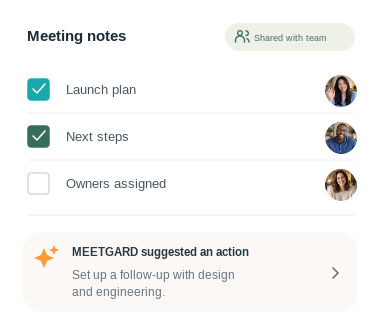
Keep everyone aligned with AI meeting notes, clear next steps, and owners
— so work actually happens.
Stay present. MEETGARD Desktop captures meetings from your Mac or Windows computer, so you can focus on the conversation.
 Google MeetProduct syncCapturing
MADE FOR YOUR KIND OF WORK
From the first idea to the final handshake,
make every conversation count.
Less catching up.
More moving forward.
Keep everyone aligned with AI meeting notes, clear next steps, and owners
— so work actually happens.
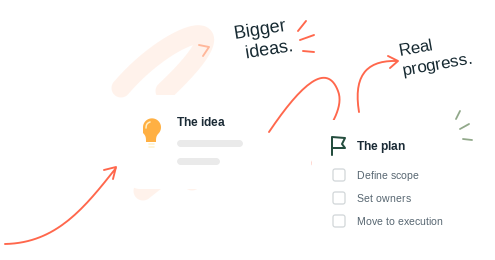
Turn the spark into a next step.
Capture ideas, surface key insights,
and keep momentum going —
from brainstorm to build.
Listen closer.
Close with confidence.
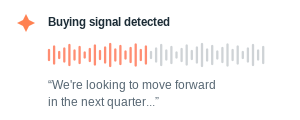
Get AI-powered insights, surface buying signals, and never miss
a follow-up.
Find the person behind the résumé.
Get clear notes, key highlights,
and a deeper sense of every candidate.
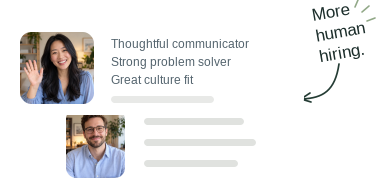
Different roles. One clearer conversation.
Get started in minutes and let MEETGARD handle the rest — from live transcription to clear notes and post-meeting insights.
Get MEETGARD DesktopInstall MEETGARD on Mac or Windows. Select your meeting in the app.
Google MeetMeeting detectedFollow live transcription and capture the details that matter.
Try asking a follow-up about their budget and timeline.
Get a concise summary, action items and next steps automatically.
Live transcription, thoughtful advice, and smart notes — all in one seamless experience.
Thanks everyone for joining. Let’s start with a quick update on the project timeline.
We’re on track for the next milestone, and the beta should be ready in two weeks.
That sounds great. Are there any risks we should be aware of?
The main risk is around resourcing, but we have a plan to mitigate that.

“MEETGARD has been a game changer for me. It boosts my confidence in meetings and helps me communicate clearly. The real-time transcription is incredibly helpful.”
Choose the plan that fits your needs.
Great for getting started.
For professionals who want more.
For teams and organizations.
Your meeting companion, right on your computer. Choose your version and create your workspace to get started.
You choose when capture starts and stops.Apple Silicon · macOS 14.2+
Download for MacSign in with your MEETGARD account.Windows 10+ · 64-bit · build 1803+
Download for WindowsSign in with your MEETGARD account.MEETGARD Desktop captures your meetings without a bot. Supported systems: macOS 14.2+ on Apple Silicon, and Windows 10+ (64-bit, build 1803+).
| Meeting platform | Mac · Apple Silicon | Windows · 64-bit |
|---|---|---|
| Google Meet | Chrome, Safari, Arc, Brave, Comet, Dia | Chrome or Edge |
| Zoom | Desktop app, Chrome, Arc, Brave, Dia | Desktop app |
| Microsoft Teams | Desktop app, Chrome, Arc, Brave, Comet, Dia | Desktop app |
| Slack | Desktop app · audio only | Not supported |
Google Meet’s installed web app and Companion Mode are not supported. Slack capture is audio only on Mac.
MEETGARD is an AI meeting assistant with a desktop app for Mac and Windows. Capture meetings from your computer, follow live transcription, and return to smart notes and post-meeting insights in your workspace.
Create your MEETGARD workspace and install MEETGARD Desktop for your computer. Join your call as usual, open the app, and select the meeting window you want to capture. You control when recording starts and stops. Your live transcript and final transcript are available in your workspace.
You choose when to start and stop capture. Your meeting workspace requires a signed-in account. Your recordings and transcripts are available in your MEETGARD workspace. Always let participants know when you are recording.
Google Meet, Zoom, and Microsoft Teams are supported on Mac and Windows. Slack desktop huddles are supported on Mac, for audio only. On Windows, use Meet in Chrome or Edge, and the desktop apps for Zoom and Teams. On Mac, additional browsers are supported. See the platform compatibility section for the full setup. No bot joins your call.
Bring your full attention with MEETGARD Desktop.
Available for Mac Apple Silicon and Windows.
 Live transcriptionExpert insightsAction itemsSmart notes